CNFANS · QC GUIDE
Last updated: March 2025
CNFans QC Guide 2026
How to review CNFans QC photos — sneakers, bags, hoodies, watches. What to check and how to dispute.
QC photo review is the most important step in any CNFans purchase — this is your only opportunity to verify item quality before it ships to your address. CNFans provides 5–10 standard QC photos per item, and you have typically 3–7 days to review before the system auto-approves. This guide explains exactly what to check in QC photos for each category, how to request additional photos, and what to do if you find a defect or discrepancy.
The most common QC mistakes are approving without checking all photos, approving items with minor issues hoping they won't matter, and not requesting additional angles upfront. The solution to all three: add specific photo requests to your CNFans order notes before QC arrives. For sneakers: "Please include a direct side-profile shot and a heel close-up." For bags: "Please photograph the hardware engraving close-up and the interior stamp." For hoodies: "Please photograph the label tag and take one flash photo of the print." These requests take 30 seconds to write and prevent 90% of QC surprises.
QC photo review is the step most buyers rush, and the step where most preventable problems happen. The CNFans review window (3–7 days) is the only opportunity to catch a quality issue before it ships to your door. Once you approve, that window closes. I have seen too many "I approved without checking properly" posts on r/FashionReps.
The most useful thing you can do: write specific angle requests in your order notes when you place the order. "Please include a close-up of the toe box side profile and the Swoosh attachment" takes 20 seconds and potentially saves you from approving a defective pair. Standard CNFans photos cover a lot, but not always the exact angle that reveals quality issues for your specific item.
CNFans QC Checklist by Category
👟
Sneakers QC checklist
Side profile (toe box shape, heel clip height), Swoosh/logo curve and stitching attachment, leather grain texture (subtle, not glossy or plasticky), outsole traction pattern accuracy, tongue label font and logo placement, lace aglet quality.
👜
Bags QC checklist
Leather texture consistency across all panels, stitching spacing and thread colour, hardware engraving depth and crispness, interior lining pattern and stamps, chain finish and link size, overall silhouette shape, dust bag and accessories present.
👕
Hoodies/apparel QC checklist
Label tag photo (verify GSM weight), flash photo (verify 3M reflectivity), print placement and edge sharpness, thread colour accuracy, sizing vs size chart, stitching at cuffs and hem, interior label font and placement.
⌚
Watches QC checklist
Dial text clarity and lume plot positions, crown and pusher positions, caseback engraving, bracelet clasp engraving, end link flush with case, bezel graduation accuracy, wrist shot for proportions.
💎
Jewelry QC checklist
Hallmark photo (925 stamp inside ring or on pendant back), engraving depth and detail, metal colour consistency, clasp mechanism security, chain link uniformity, overall finish quality.
QC pro tip: Add specific photo requests in the CNFans order notes BEFORE QC arrives — e.g. "Please photograph the label tag", "Please close-up of hardware engraving", "Please one flash photo". This gets you the angles you need without a back-and-forth.
Frequently Asked Questions
How many QC photos does CNFans provide?+
Standard CNFans QC provides 5–10 photos per item. You can request additional photos in your order notes or via the QC interface before approving. Additional photo requests are typically accommodated at no extra charge.
How long do I have to review CNFans QC photos?+
CNFans typically gives 3–7 days to review QC photos before auto-approving. Check your notification settings to ensure you receive QC alerts promptly. Never let QC auto-approve if you haven't reviewed the photos.
What is the CNFans dispute process?+
If you reject QC, click Dispute and describe the problem with reference to specific photos. CNFans contacts the seller to arrange a return, replacement or refund. Resolution typically takes 3–10 business days.
Can I request a refund if QC shows wrong item?+
Yes — if QC shows a clearly wrong item (wrong size, wrong colour, wrong product), reject immediately and dispute. CNFans processes returns for incorrect items in most cases. Provide clear screenshots in your dispute message.
Should I always check QC photos even for cheap items?+
Yes — always review QC photos before approving, regardless of price. This is your only opportunity to verify quality before the item ships. Approving without checking gives up all recourse if the item is wrong or defective.
CNFans Keywords & Guides
👤
About This Spreadsheet
Curated by APU — rep buyer and spreadsheet curator since 2018. All seller links verified across Weidian, Taobao and 1688. QC-checked before listing. Updated daily. Trusted links only.
✓ Verified links
✓ Real QC
✓ Updated daily
Verified Rep Picks
Sneakers, bags and hoodies — compatible with CNFans and every major agent.
Browse Verified Finds →
CNFans QC: How to Check Your Rep Order
QC is the step most first-time buyers rush — and it's where most mistakes happen. CNFans sends 8–15 photos per item. That's enough to check everything important, but only if you know what to look for. A Swoosh-check isn't a QC. Going through the photos systematically with a checklist is.
For sneaker QC on CNFans: check the toe box shape from the side profile first (the silhouette should match retail exactly), then Swoosh curve and stitching attachment, leather grain texture, heel clip height, and tongue label font. For Jordan reps, the batch makes a big difference — OW batch Jordan 1 and LJR batch Jordan 4 have specific things to check. The Jordan guide has model-specific QC notes.
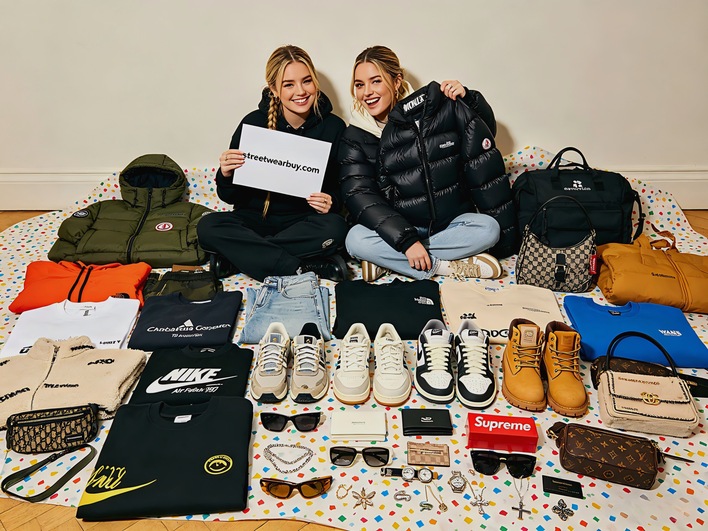
For bag QC on CNFans: hardware weight and finish, monogram or canvas pattern alignment, interior lining colour and stitching, and zipper pull quality. For Chanel specifically, check quilting stitch consistency at corners. The bags guide has brand-specific notes for LV, Gucci, and Chanel.
If you're unsure after reviewing photos, request additional angles in the CNFans QC comment system — specific requests like "sole edge close-up" or "interior label detail" get fulfilled same day in most cases. Don't approve if you're not sure. A return dispute after shipping is harder to resolve than a pre-ship QC request. Check the shipping guide for next steps after QC approval.
CNFans QC Photo Best Practices
CNFans QC photos are your only opportunity to visually inspect items before committing to international shipping. The standard QC photo set covers multiple angles and is provided before you approve or reject the shipment. Developing a systematic review process — rather than making a quick overall impression — significantly improves the accuracy of your accept or reject decisions.
For shoes, evaluate the sole, upper, interior, and detail shots in sequence. For clothing, check fabric texture, print quality, stitching at key stress points, and label accuracy. For bags, examine hardware, stitching consistency, material quality, and closure mechanism. Request additional targeted photos when a specific detail is unclear in the standard set — this is normal and agents respond efficiently to specific photo requests.


![Stussy International Hoodie [39 styles]](https://streetwearbuy.com/api/static/products/WEIDIAN_7627128684_1.webp)
![Moncler Jogger Pants [11 styles]](https://streetwearbuy.com/api/static/products/WEIDIAN_7627039497_2.webp)
![DENIM TEARS Floral Print Denim Jacket/Pants [6 styles]](https://streetwearbuy.com/api/static/products/WEIDIAN_7626980129_1.webp)
![Louis Vuitton Denim Jacket [40 styles]](https://streetwearbuy.com/api/static/products/WEIDIAN_7629959446_1.webp)


![Stone Island Compass Sweatshirt [39 styles]](https://streetwearbuy.com/api/static/products/WEIDIAN_7627116954_4.webp)


![Celine Oversize T-Shirt/Shorts Set [24 styles]](https://streetwearbuy.com/api/static/products/WEIDIAN_7625108063_2.webp)

